

Heat Numbers
Heat numbers identify individual manufacturing batches of pipe or fittings. It is common to require heat numbers for most items to be tracked and/or shown on fabrication drawings. This makes it possible to identify potentially defective components in the event of a factory recall.
There are three ways in which heat numbers can be added to a fabrication spool.
Method One: Type in the heat numbers without checking them
To enter heat numbers without checking, display a fabrication drawing and press Ctrl-E or select Edit, Edit Bill of Materials.
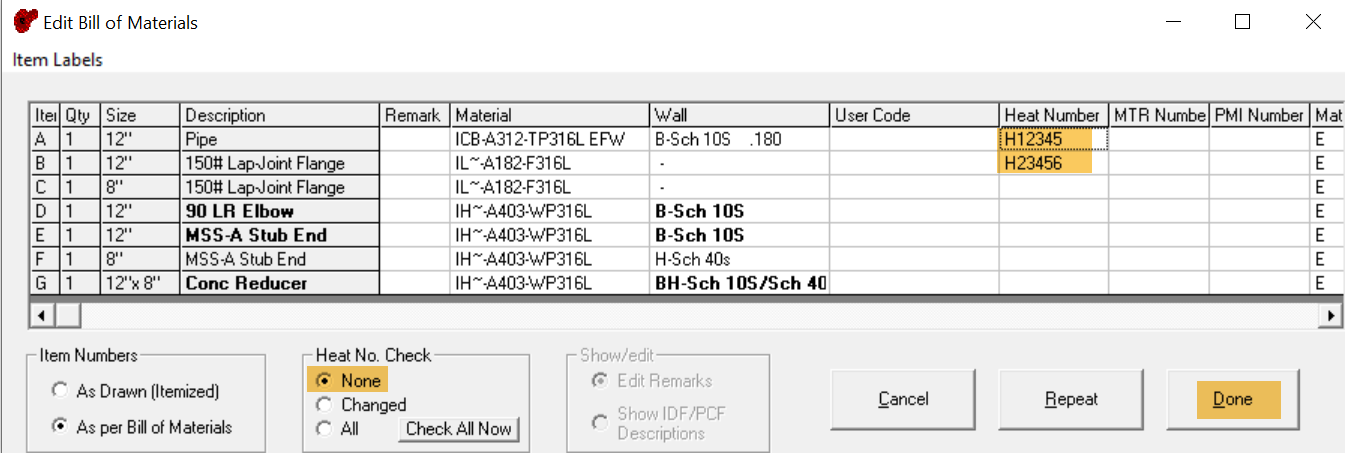
Enter the heat numbers as shown highlighted. If heat numbers have not already been entered along with received material, there is nothing to check against, so you will need to select the option Heat No. Check, None, also highlighted. If you do not select this option, you will get a message similar to that shown below.
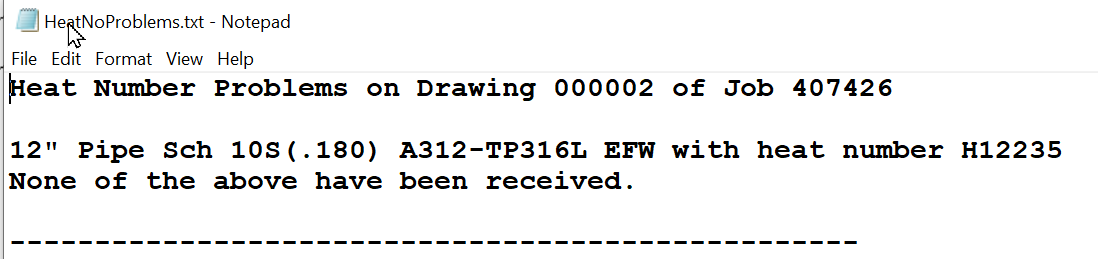
Method Two: Check the heat numbers you enter against those received
To use this method, you first need to enter received material, along with the corresponding heat numbers. This is described in articles K0040 and K0061. Once this has been done, you can enter heat numbers in the same way as Method 1, but you do not need to disable heat number checks.
If the heat numbers you have entered correspond exactly to those logged when those same materials were received, and the received quantities of those heat numbers are sufficient, taking into consideration heat numbers already entered via other drawings, the values will be accepted. Otherwise, you may get prompts like the ones shown below.
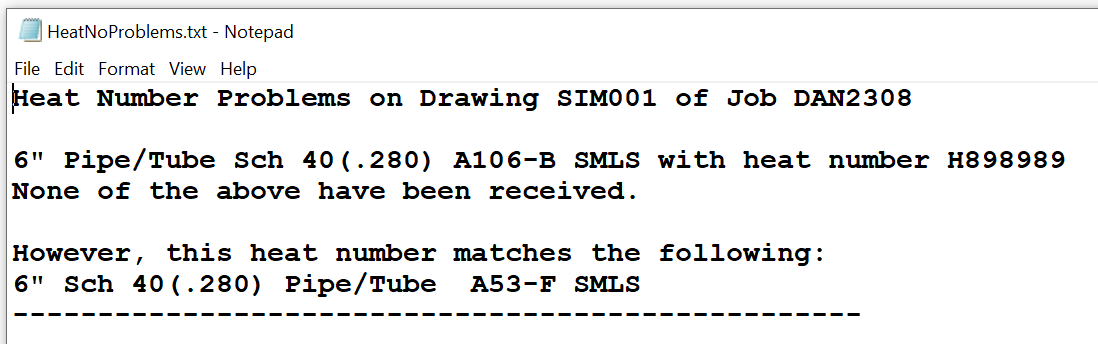
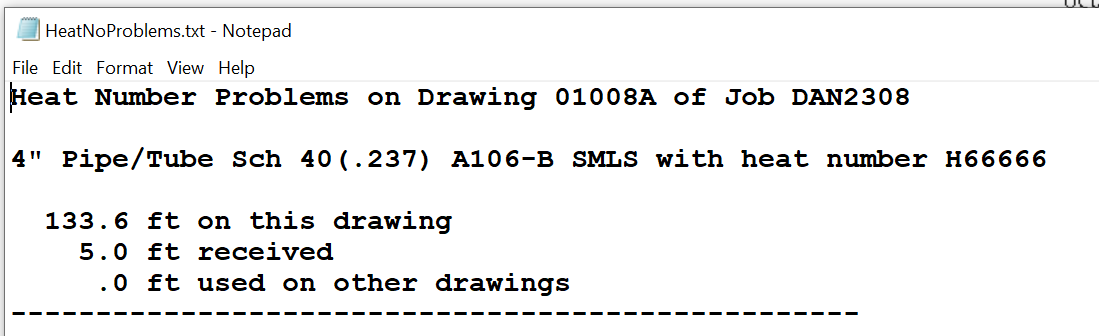
These prompts are designed to highlight errors at a very early stage, when they are relatively easy to remedy. Some of the errors so identified would be difficult to detect in any other way.
Method Three: Assign Heat Numbers before Palletizing (recommended)
To assign heat numbers automatically, you need to have received and entered heat numbers for most or all of the material needed to fabricate the group of spools you are working on.
To assign heat numbers, load a fabrication spool and select Edit, Assign Heat Numbers. SpoolFab will, to the extent possible, assign a heat number to each item, taking into account the quantity of each heat number that has been received and the quantity already assigned to other fabrication spools. Where it is not possible to assign a heat number, that field will be left blank.
It is useful to make this assignment before the spools are palletized. Then, when palletizing the spools you make sure to select the materials with the assigned heat numbers. This makes palletizing a little more rigorous, but minimizes the need to deal with heat numbers once the spool has been fabricated.
You can also assign heat numbers to a batch of spools in one operation, as described in article K0015.